

Skip to content
Rep&MI hero

Reporting and MI within iVector

Turn booking, operational and financial data into clear management information. Give authorised users the control to create and change reports as business requirements evolve.

Connected reporting

Turn travel data into useful information

Travel businesses hold large volumes of booking, product, operational and financial data. Its value depends on how easily teams can turn it into information they can use.

When reporting relies on manual exports, disconnected systems or development requests, teams can spend more time gathering data than acting on it. Different departments may also create conflicting versions of the same report.

Reporting & MI gives authorised users greater control over how they access, organise and report on iVector data when the business needs an answer.

background image 2

Turn reporting into clearer business decisions

Give teams direct access to connected data so they can monitor performance, understand margin and act sooner.

Clearer performance 

See sales, product and operational performance using the same connected iVector data.


Faster decisions

Build and adjust reports without waiting for every change to enter a development queue.

Better margin insight 

Understand how margin varies across products, markets and sales channels.

Shared information 

Give commercial, operations and finance teams a consistent reporting foundation.


MI Builder

Give your team greater control over reporting

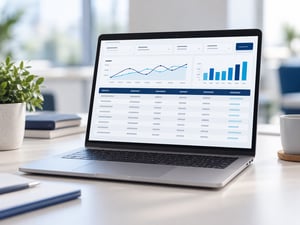
MI Builder is iVector’s reporting capability, giving authorised users access to structured travel data and the freedom to create reports around the questions their business needs to answer.

Reports can be created, changed and run by your own team as requirements evolve. This means you are not limited to a fixed set of standard reports or dependent on intuitive to make every reporting change.

Your data. Your reports. Your control.
Reporting
Rep&MI sep

See performance across sales, operations and finance

Use connected iVector data to answer the questions each team needs to manage performance and priorities.

Sales & commercial reporting

Track sales, booking value and margin across products, destinations, markets and channels. Adapt reports as targets and priorities change.

Operational reporting 

Report on booking status, amendments, cancellations, departures and fulfilment activity, helping teams see priorities and outstanding work.


Finance & reconciliation reporting 

Bring together customer and supplier payments, reconciliation and booking margin to understand the financial position behind each reservation.

Connect iVector data with your wider reporting tools

Use connected travel data within iVector or make it available to external business intelligence and data warehouse platforms.

External BI connectivity

Connect iVector data with external business intelligence and data warehouse tools for wider analysis and visualisation.

 
Connected reporting data

Bring booking, product, operational and financial data together to support reporting across the business.

 
A consistent business view

Give commercial, operations, finance and leadership teams a shared foundation for measuring performance.


Insight for every part of the business

Give each team access to the connected information it needs to understand performance, answer questions and set priorities.

Sales and commercial

Track sales, booking value, margin and channel performance to understand where revenue is growing.

 
Product

See which products, destinations and suppliers are performing and where changes may be needed.

 
Operations

Monitor booking status, amendments, cancellations and fulfilment workload to keep daily activity moving.

 
Finance

Review booking financials, customer and supplier payments, margin and reconciliation status.

 
Leadership

Bring commercial, operational and financial reporting together to understand overall performance and priorities.

 
MI and data teams

Build and adapt reports or connect structured iVector data with wider reporting tools.


Explore related iVector capabilities

See how iVector’s connected capabilities support the operational workflows, integrations and automation behind effective reporting.


Operations & Finance 

Manage the operational and financial workflows that provide the connected data used across iVector reporting.

Explore Operations & Finance

Connectivity 

Connect iVector with external BI, data warehouse and other business systems across your wider technology ecosystem.

Explore Connectivity 

AI & Automation

Use connected reporting and operational data to support automated workflows and focus attention where it is needed.

Explore AI & Automation 

Frequently asked questions (FAQs)

Answers to common questions about MI Builder, custom reporting and using iVector data with wider business intelligence tools.

What is MI in travel? MI, or management information, turns booking, product, operational and financial data into reports that help teams monitor performance and make informed decisions.
What is iVector MI Builder? MI Builder is iVector’s reporting capability. It gives authorised users access to structured travel data and the ability to create, change and run reports around their own business requirements.
Can users create their own reports? Yes. Authorised users can build and change reports without raising a development request with intuitive or waiting for a product update.
What can iVector report on? Reporting can cover areas including sales, revenue, margin, products, destinations, booking activity, departures, fulfilment, payments, reconciliation and other operational and financial information held within iVector.
Can iVector data feed external BI technology? Yes. Structured data from iVector can feed into external BI and data warehouse environments. The precise integration and data available will depend on the technology and reporting requirements involved.
Is iVector reporting real-time? Reporting uses structured data held within iVector. The timing and frequency with which information is updated will depend on the report, data and integration involved.
Who can use MI Builder? Access can be provided to authorised users across commercial, product, operations, finance and leadership teams, allowing each team to create reporting around the questions it needs to answer.

Talk to our team

Discover how MI Builder could give your team greater control over reporting.

Free 15-minute consultation

Explore what your business could report on using connected iVector data.